Setting up a productive home workspace is essential for anyone working or studying from home. A well-organized area not only helps keep distractions at bay but also encourages a better workflow and healthier work habits. Whether you’re designing a workspace in a dedicated room or a small corner of your living area, these tips will help you create an environment where focus and creativity can thrive.
Choose the Right Location
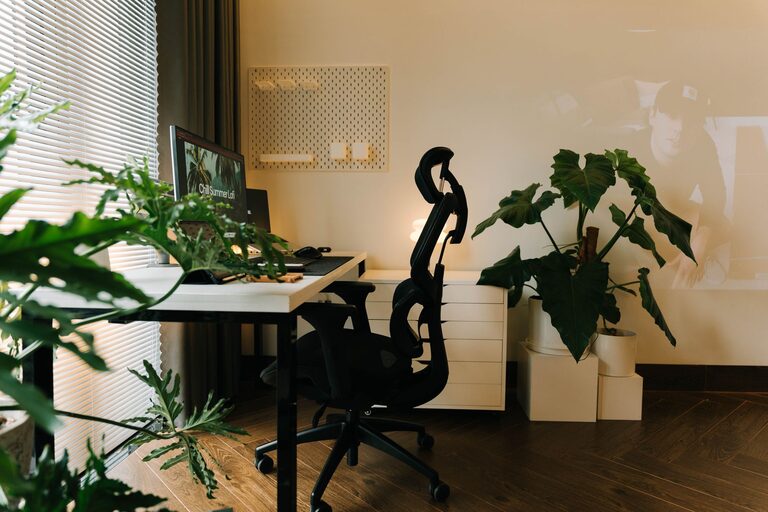
The first step in organizing your workspace is picking the right spot. Ideally, find a quiet area with minimal foot traffic to reduce distractions. Natural light is a big plus — positioning your desk near a window can improve mood and energy. If natural light is limited, invest in quality lighting that’s bright but not harsh to avoid eye strain.
Invest in Comfortable Furniture
Comfort plays a major role in productivity. Choose an ergonomic chair that supports your back and encourages good posture. Your desk should be at a height where your arms can rest comfortably while typing, with your feet flat on the floor. If space permits, consider a sit-stand desk option to change your position throughout the day.
Declutter and Organize
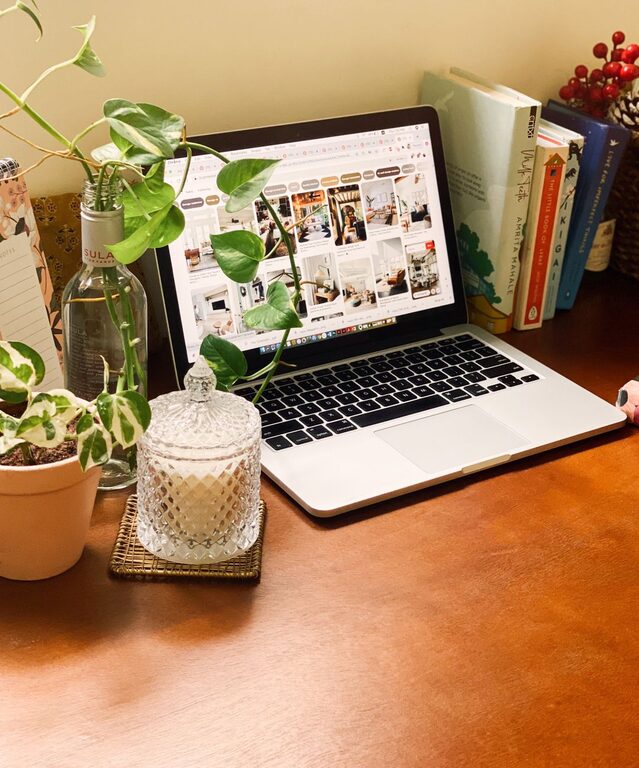
A cluttered workspace can make it harder to concentrate. Keep only the essentials on your desk: your computer, a notebook, a few pens, and perhaps a plant or other personal item for inspiration. Use organizers, trays, or drawers to store paperwork, chargers, and office supplies out of sight.
Tips for Decluttering:
– Sort through papers and discard what you don’t need regularly.
– Use labeled folders or file organizers to categorize documents.
– Keep cords under control with clips or cable management solutions.
Use Effective Storage Solutions
Maximize vertical space with shelves or wall organizers. This is especially helpful if your workspace is small. Storage bins and baskets can hold items you don’t use daily but want accessible. Keeping your supplies orderly saves time searching and helps maintain a tidy appearance.
Limit Digital Distractions
Set boundaries for your devices. Turn off non-essential notifications or use apps that limit distractions during work hours. Organize your computer desktop and files into clear folders. Using a dedicated browser profile or workspace can also help separate work from personal browsing.
Personalize Without Overdoing It
Personal touches can make your workspace more inviting and motivating. A few photos, artwork, or a favorite mug can add character without causing clutter. Choose items that inspire you and keep the atmosphere calm and welcoming.
Establish a Routine
Having a consistent schedule trains your mind to focus during set hours. Start your day by preparing your workspace: put away any distractions, check your to-do list, and grab a glass of water. Take short breaks to stretch or walk to keep energy levels up.
Incorporate Plants and Greenery
Plants not only beautify your space but also improve air quality and reduce stress. Choose low-maintenance options like succulents, snake plants, or pothos that can thrive indoors with minimal care. Place them near your desk or on shelves for a refreshing touch.
Keep Essentials Within Reach
Arrange your supplies logically, so everything you need is easy to grab. For example, keep your notebook and pens close if you frequently jot down notes. Charging stations within reach can keep your devices powered without tangled cords cluttering your desk.
Maintain Regular Cleaning Habits
A clean desk is a productive desk. Set aside a few minutes at the end of each day to tidy your space. Wipe surfaces, organize papers, and put away anything left out. This habit will prepare you for the next workday and reduce stress.
—
Creating a home workspace that supports productivity is about combining comfort, organization, and personal style. With these tips, you can design a space where you look forward to working every day. Remember, the key is to keep your workspace functional and clutter-free while allowing room for creativity and focus.
About the Author